Deck builder
deck-builderPlans the slides from your brief and writes them into the template. Text stays inside the existing boxes, so the template fonts stay too.
Three Claude skills write your presentation into a Canva template you pick, page by page. The template keeps its design. Claude writes the words, then checks every slide.
Most AI deck tools choose the layout, fonts and colors for you. They pull from the same few designs, and people spot them fast. Title-to-Deck starts from a Canva template a designer made. Claude only writes into it.
Same gradients, same cards, same stock look on every topic.
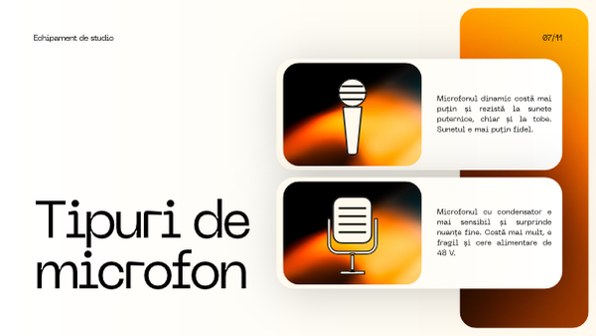
Claude fills the template's own text boxes, so the fonts, colors and layout stay the designer's.
Topic, audience, length and your teacher's brief. Then the template.
Pick any Canva presentation template and paste its link.
It fills the template's own text boxes, one page at a time.
Layout, every slide on a cold read, and your brief. It fixes what it finds.
You get the design link. Present from Canva or download it.
You add them to Claude once. After that you start each deck with one line.
Plans the slides from your brief and writes them into the template. Text stays inside the existing boxes, so the template fonts stay too.
Reads the finished deck like someone who has never seen it. Checks layout, each slide and your brief, then fixes it. Up to two rounds.
Removes the words and patterns that make text sound like AI before anything goes into Canva.
Two short messages cover the topic, the audience, the time limit and the brief. Anything you already said gets skipped.
The reviewer compares the deck with your teacher's criteria and your sources, then tells you what it changed.
Title-to-Deck runs inside your own Claude account and your own Canva account. You pay for Claude separately.
The free Claude plan runs out of usage before one deck is done. Claude Pro is a separate subscription from Anthropic.
Claude reads and edits free Canva templates on a free Canva account.
14-day refund. If it does not build a deck for you, email within 14 days and get your money back.
Yes. On the free Claude plan the usage limit runs out almost at once, before a deck is finished. Claude Pro is sold by Anthropic, separately from this product.
Yes, for free templates. Claude reads and edits them on a free Canva account. Templates marked Pro need a Canva Pro account.
Yes. Find a presentation template in Canva and send Claude its link. Claude cannot browse Canva's template library for you, so the link has to come from you.
No. Claude writes into the template's existing text boxes, so the template fonts and colors stay. It keeps the text close to the length of the original placeholder so it fits the box.
We tested English and Romanian. Some decorative fonts lack special letters, for example the Romanian ș and ț, and Claude rewords a title when a letter does not render. Other languages are not tested yet.
The deck lives in your Canva account. From Canva you can present it or download it as PDF or PowerPoint.
Right after payment you download a zip with the three skills and the PDF guide. The guide shows you how to add the skills to Claude and connect Canva.
Email within 14 days of purchase and you get a full refund.